The Short Answer
Why Coax Network Testing Is Different
Coax for cable TV is forgiving. The signal is amplified at the headend, boosted at every drop tap, and the receiver is designed to lock onto channels with marginal signal-to-noise ratio. Coax for networking is unforgiving. MoCA modulation is dense, the frequency band reaches into the GHz, and the network adapters expect a clean, flat-response, terminated channel.
A coax run that delivers acceptable picture quality on cable TV may completely fail to support MoCA. The cable type, the splitters, the connectors, and the absence of proper terminators all matter. Testing for network suitability means checking properties that cable TV testing ignores.
Three things separate coax network testing from cable TV testing:
- Frequency range. Cable TV runs roughly 50 to 750 MHz. MoCA 2.5 runs 875 to 1675 MHz. The cable, splitters, and connectors must pass the higher band.
- Bidirectional traffic. Cable TV is one-way (downstream from the headend). MoCA is two-way -- every adapter both transmits and receives. Asymmetric loss is a problem.
- Reflection sensitivity. Cable TV tolerates impedance mismatches. MoCA does not. Unterminated splitter legs reflect signal back into the network and corrupt traffic.
Coax Cable Types for Network Use
| Type | Center Conductor | Loss at 1 GHz (per 100 ft) | Network Suitability | Typical Use |
|---|---|---|---|---|
| RG-59 | 22 AWG | ~12 dB | Not recommended | Legacy CCTV, short analog video |
| RG-6 | 18 AWG | ~6 dB | Suitable for MoCA up to ~150 ft | Cable TV, satellite, MoCA |
| RG-6 Quad-shield | 18 AWG | ~6 dB | Recommended for MoCA | Premium residential, light commercial |
| RG-11 | 14 AWG | ~3 dB | Suitable for long MoCA runs | Trunk runs, long drops, commercial |
RG-59 was standard before the 2000s and may still be in walls of older homes. It will not reliably carry MoCA 2.5 because attenuation in the 875-1675 MHz band exceeds the receiver's tolerance over typical run lengths. If the existing cable is RG-59, expect MoCA to either fail or limp along at reduced speeds.
For new installations and any commercial deployment, use RG-6 quad-shield or RG-11 for trunks. Pay attention to the connectors -- a cheap RG-6 fitting that crushes the dielectric will create impedance bumps that trash MoCA performance.
Step-by-Step Coax Network Test Procedure
Step 1: Visual inspection
Before any electrical test, walk the run. Check every connector for proper compression (a properly compressed F-connector should have no exposed dielectric and the center conductor should protrude exactly the right amount -- typically 1/16 inch beyond the connector face). Check for crushed cable, kinks tighter than 6 inches radius, and staples driven through the jacket. Photograph any damage for documentation.
Step 2: Continuity test (center conductor)
Disconnect both ends from any equipment. Set a multimeter to continuity. Probe the center pin at one end against the center pin at the other end. You should hear a beep with near-zero resistance. A 100-foot RG-6 run reads about 1.7 ohms on the center conductor.
An open center conductor usually means a broken solder joint at one of the connectors, a crushed section, or the center conductor pulled out of the connector during compression. Pin the connector inside the cable to find which end has the failure.
Step 3: Continuity test (shield)
Probe the outer barrel of the connector at one end against the outer barrel at the other end. Beep with near-zero resistance confirms shield continuity.
Step 4: Center-to-shield short check
With both ends still disconnected, probe the center pin against the outer barrel at the same connector. No beep. If you hear a beep, the cable has a short between center conductor and shield -- usually a crushed section, a connector with an internal short, or a misinstalled F-connector where stray copper bridges the gap.
Step 5: Signal level (cable TV / broadband)
If the run will carry cable TV or broadband, connect a signal-level meter at each outlet. Measure the carrier level at multiple frequencies across the band. Per most US service provider specs, the carrier level should land between -7 dBmV and +10 dBmV at the analog channels. The signal level should be flat (within +/-3 dB) across the cable TV band.
A signal-level meter is a coax-specific instrument; a generic multimeter cannot measure RF signal level. We do not sell one, and a network analyzer is not the same instrument in any case. Budget for a signal-level meter before you quote coax work that carries broadband, and price the rental if it is a one-off.
Step 6: MoCA-band response
For MoCA suitability, the cable plant must pass the 875-1675 MHz band with reasonable flatness. Many splitters labeled "5-1000 MHz" stop passing signal above 1 GHz, blocking MoCA entirely. Replace any non-MoCA-rated splitter with one labeled "5-1675 MHz" or specifically marked "MoCA-compatible." Test by inserting a known-good MoCA signal and verifying signal level at the destination outlet.
Step 7: Terminator check
Walk every splitter in the system. Any leg that does not have a cable connected to it must have a 75-ohm terminator installed. Unterminated legs reflect MoCA signal back into the system, causing bit errors and reduced throughput. This single fix solves a large fraction of "why is MoCA slow?" problems.
Step 8: TDR fault location (if needed)
If continuity or signal-level testing reveals a problem, use a TDR to find the fault location. The TDR sends a pulse and reports the distance to the impedance discontinuity. Crushed sections, connectors with bad geometry, and breaks all show up as reflections. See our TDR cable testing guide for the procedure. Browse TDR-equipped tools.
Common Coax Faults That Break Networks
Cheap or crushed F-connectors
The single most common cause of MoCA failure. Compression F-connectors must be installed with a proper compression tool, not crimped or twisted on. A crushed dielectric or off-center conductor creates an impedance bump that reflects signal.
Old splitters
Pre-2010 splitters often roll off above 1 GHz. They pass cable TV fine but block MoCA. Replace with 5-1675 MHz or higher rated units throughout the system.
Unterminated legs
Splitter ports with nothing connected reflect signal back into the system. Install 75-ohm terminators on every unused port.
Mixed cable types
An RG-6 trunk with a 30-foot RG-59 run inside the wall will fail MoCA at the RG-59 segment. Replace, do not splice.
Ground loops
If the coax shield is grounded at multiple points (cable demarcation, equipment chassis, building ground rod), differential ground potentials drive currents through the shield that show up as noise on the network signal. Use a single grounding point per system. For a deeper dive, see our guide to testing shielded cable grounding.
Equipment You Need
- Digital multimeter for continuity and short checks.
- Coax signal-level meter for carrier level measurement (cable TV, broadband, MoCA suitability checks).
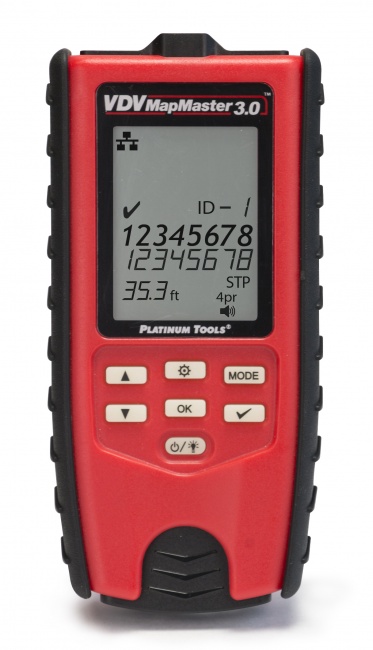
- TDR-capable tester for fault location on long or buried runs.
- F-connector compression tool rated for the connector brand you use. Generic tools often produce poor compressions.
- 75-ohm terminators on every unused splitter port.
- Spare splitters rated 5-1675 MHz for MoCA work.
Frequently Asked Questions
Can I use coax cable for a home network?
Yes, with MoCA adapters. MoCA 2.5 supports up to 2.5 Gbps over RG-6 coax. The cable plant must support the 875-1675 MHz MoCA band, splitters must be rated to that band, and unused legs must be terminated.
What is the difference between RG-6, RG-59, and RG-11?
RG-59 is older 22 AWG coax with high loss; not suitable for MoCA. RG-6 is 18 AWG and the standard for cable TV, satellite, and MoCA. RG-11 is 14 AWG with the lowest loss, used for long trunk runs.
How do I test coax cable for shorts?
Disconnect both ends. Set a multimeter to continuity. Probe the center pin against the outer shell at one connector. No beep means no short. A beep indicates a center-to-shield short somewhere on the cable.
What signal level should I see at a coax outlet?
For cable TV and broadband, the carrier level should be between -7 dBmV and +10 dBmV. Use a coax signal-level meter for accurate measurement; a multimeter cannot measure RF.
Can I find a break in coax cable?
Yes, with a TDR. The TDR sends a pulse and measures the reflection time of any open or short, translating that into distance from the test point. See our TDR test procedure.
Test Coax with the Right Tools
From basic continuity testers to TDR-equipped fault locators, we stock the gear that turns existing coax into a working network backbone.