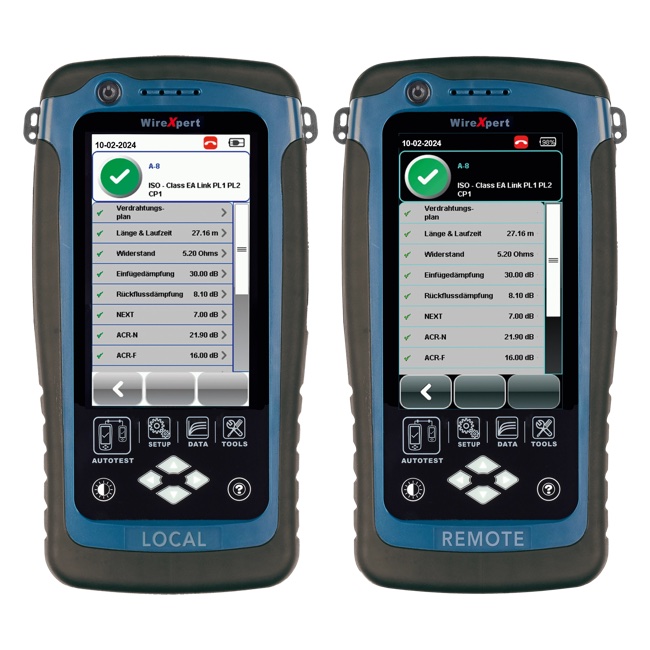
The Two Topologies, Defined
TIA-568 defines two test models for installed twisted-pair copper. Each has its own set of limits, its own adapters, and its own intended use case. Mixing them up is one of the most common mistakes in field certification — and the reason warranty claims get rejected.
Permanent Link
The fixed cabling from the back of the patch panel to the back of the wall outlet. It includes the horizontal cable, the patch panel insert, and the wall jack. It does NOT include the patch cords at either end. Maximum length is 90 meters.
Permanent link is what the cable installer actually built. It is the test that validates the contractor's work, independent of whatever patch cords happen to be plugged in on the day of testing. This is the certification topology for new construction acceptance.
Channel
The entire end-to-end signal path from one network device's RJ45 to the other's. It includes the patch cords at both ends, the patch panel, the horizontal cable, and the wall outlet. Maximum length is 100 meters (90 m horizontal + 5 m patch cord at each end).
Channel is what the user actually experiences. It is the test that validates whether the live network connection will perform at the rated speed. Use it to validate post-installation performance and to troubleshoot user-reported issues.
When to Use Each Topology
Use Permanent Link when:
- You are doing acceptance testing on a new installation
- The job spec calls for "TIA-568 certification" (default is permanent link)
- The cable manufacturer warranty registration requires permanent link results
- You want to isolate the contractor's work from any patch cord variability
- The patch cords have not been delivered yet but you need to certify the in-wall cabling
Use Channel when:
- You are validating end-user performance after the network is live
- You are troubleshooting a user-reported speed or connectivity issue
- The job spec specifically calls for channel certification (less common but does happen)
- You need to prove the entire end-to-end link is functional with the actual patch cords in service
- You are diagnosing whether a problem is in the in-wall cable or in a patch cord
The diagnostic two-step
When a user reports slow Ethernet on a specific drop, run channel first. If channel fails, swap the patch cords with known-good cords and re-test. If channel now passes, the problem was a patch cord. If channel still fails, run a permanent link test with reference test cords. If permanent link passes, the in-wall cable is good and the problem is patch cord category, condition, or one of the active devices. If permanent link fails, the in-wall cable needs work.
The Right Adapters for Each Test
Permanent Link Adapters
These are precision-engineered test cords that terminate in a high-quality reference plug. The plug is what mates with the patch panel insert (or wall jack) under test. The reference plug is built to a much tighter spec than any production patch cord plug — it is the calibrated reference that lets the certifier subtract out the test plug's contribution to the measurement and report only the cabling under test.
Permanent link adapters wear out. Most manufacturers specify a maximum number of mating cycles (often 5,000) before the adapter must be replaced. Worn adapters cause false failures or, worse, false passes. Inspect adapters daily and replace per manufacturer guidance.
Channel Adapters
These present a standard RJ45 jack at the end. The jack accepts the actual patch cord that will be (or already is) in service. The certifier measures everything from one end's jack through the entire channel to the other end's jack.
Channel adapters wear out more slowly than permanent link adapters because the production patch cord plug takes the wear, not the adapter's connector. They still need periodic replacement; check for visible damage to the jack contacts.
Adapter mismatch
Running a permanent link test with channel adapters (or vice versa) produces invalid results. The certifier may not warn you because both adapter types physically connect — but the calculated test limits will be wrong for what you actually measured. Always verify the displayed adapter type before running the test.
Step-by-Step: Running Each Test
Permanent Link Test
- Remove patch cords from both ends of the cable to be tested.
- Install permanent link adapters on both certifier units (main and remote).
- Plug the main unit's adapter into the patch panel port. Plug the remote unit's adapter into the wall outlet jack.
- On the certifier, select the cable type (Cat5e, Cat6, Cat6A) and Permanent Link topology.
- Press autotest. The test runs in 6-15 seconds.
- Review the result. Save with a label that identifies the link (e.g., "IDF1-PP1-J17").
- Disconnect adapters carefully and move to next link.
Channel Test
- Leave the production patch cords in place at both ends.
- Install channel adapters on both certifier units.
- Plug the main unit's adapter into the patch cord at one end (where it would connect to the network device). Plug the remote unit's adapter into the patch cord at the other end.
- On the certifier, select cable type and Channel topology.
- Press autotest.
- Review result. Save with the same label scheme as permanent link, with a "-CH" suffix to distinguish channel from permanent link results.
Channel vs Permanent Link Limits at a Glance
| Parameter | Permanent Link | Channel | Notes |
|---|---|---|---|
| Maximum length | 90 m | 100 m | Channel includes 5 m patch cord at each end |
| Number of connectors | 2 (panel + outlet) | 4 (PC, panel, outlet, PC) | Channel adds patch cord plugs at each end |
| Insertion loss limit | Tighter (shorter) | Looser (longer) | Scales with length |
| NEXT limit | Tighter (fewer connectors) | Slightly looser | Each connector pair adds NEXT contribution |
| Return loss limit | Tighter | Looser | Each connector adds reflection |
| Adapter wear cycles | Limited (~5000) | Higher (PC takes wear) | Permanent link adapters cost more to replace |
| Use case | New construction acceptance | Live network validation | Both have their place |
Failure Patterns for Each Topology
Permanent link passes, channel fails
The in-wall cable is good. One or both patch cords are bad — wrong category, damaged, counterfeit, or just plain old. Replace the patch cords with known-good cords from a reputable supplier (not the bin of unlabeled cords by the rack) and re-test.
Permanent link fails, channel passes
Unusual but possible if the channel test happens to combine measurements that mask the underlying issue. Investigate the permanent link failure — termination quality at the patch panel or wall jack is the most likely cause. The channel pass is luck and will not last.
Both fail at similar margin
The in-wall cable has a real problem — termination, damage, or length. Re-terminate first; if it still fails, inspect the cable run for physical damage or measure the length to confirm it is under spec.
Permanent link adapter not detected
The certifier may refuse to test if it cannot validate the adapter (worn pins, damaged connector). Inspect the adapter and replace if damaged. Some certifiers periodically demand a "self-test" that verifies adapter integrity — do this at the start of every shift.
Frequently Asked Questions
What is the difference between a channel test and a permanent link test?
Permanent link tests the installed cabling from patch panel to outlet, excluding patch cords. Channel tests the entire end-to-end path including patch cords at both ends. Permanent link is the contractor acceptance topology; channel is the user-experience topology.
Which test should I run for new construction?
Permanent link. It documents the contractor's installation independently of patch cords used during testing, and most manufacturer warranties require permanent link results. Run channel afterwards if you want to validate user-facing performance.
Why are permanent link limits different from channel limits?
Permanent link is shorter (less length-related insertion loss) but excludes the patch cord connector pairs (fewer NEXT contributions). The net result varies by parameter. Channel limits are looser overall to account for the additional length and connectors. See network certification reports for how the result limits are presented.
Can I use the same adapters for both tests?
No. Permanent link adapters end in a calibrated reference plug; channel adapters end in a standard RJ45 jack. Each set is required for the corresponding topology. Mixing them produces invalid results.
How long does a channel or permanent link test take?
6 to 15 seconds per autotest plus 15-30 seconds per link for adapter handling and labeling. Realistic field pace is 80-150 links per tech per day. Batch identical links to amortize setup time.
Certify Both Topologies the Right Way
Get certifiers, adapters, and reference cords for permanent link and channel testing.